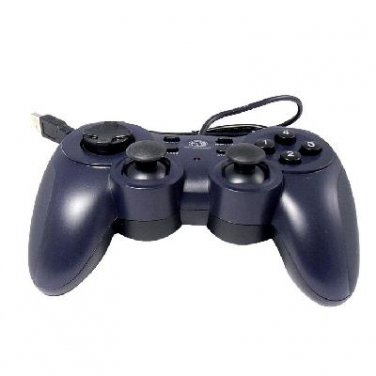
Specifications:
Product style: game pad, joy pad
Main color: black + dark blue
Model: MB-2132
Brand: Mingpin
Certificate: CE; FC; RoHS
USB wire length: about 1.5m
Features:
Recognized appearance; fabulous hand feeling; cool and fashionable;
With Digital mode and Analog mode
Two internal motors provide maximum vibration feed back
With dual shock function
Individual turbo Set/Clear buttons.
12 Fire Buttons and 2 analog sticks
USB port, plug and play
Supporting multi-players game
Compatible with USB 1.0/1.1/2.0
Support mouse and keyboard function
Fully compatible with 98/ME/2000/XP/vista /Win7/Win8
Support DirectX 9.0 or above
Suitable for street fighters, adventure and flights games
Requirements:
Windows 98/ME/2000/XP/Vista
Available USB port
Driver Disc is needed
SKU:900187-MB-2132001
Package Included:
1 X USB Dual Shock Game Pad Controller for PC
1X Driver Disc
Quick installation Guide
----------------------------
Connect the joy pad to your PC.
Directx 9.0 or above version required if programming function needed;
Install the driver.
Go to Control Panel --> Game Controllers. Verify that device "USB Dual Vibration Joystick" is installed, calibrate the joypad. Have fun with your joypad.
Turbo: Press this button and the button you wish to set to turbo mode at the same time.
Clear: Press this button and the button you wish to release from turbo mode at the same time.
Analog: Press this button, set the joypad to ANALOG mode (LED turn on). On the contrary, when the LED is off, the joypad is under DIGITAL mode. Under DIGITAL mode, POV, button 11, button 12 Z axis & Slider axis are disabled.